How to Put Text Behind a Person in a Video

Text-behind-the-person edits look like pure sorcery.
You’ve seen it: a creator walks across the frame and the words stay perfectly tucked behind them, like the text is part of the room. It’s clean. It’s cinematic. It screams “I know what I’m doing,” even if the person making it is editing in pajama pants with a lukewarm iced coffee and one remaining brain cell.
And the best part? You can do it in CapCut.
This article will explain what the effect is, why it works so well, and when to use it. Then I’ll point you straight to the video where I show you the exact steps, because this is one of those edits that’s easier to watch once than read as a paragraph of “tap this, then that, then pray.”
How to Put Text Behind a Person in a Video: CapCut Tutorial

Try CapCut Pro for Free
Capcut Pro Free Trial Coupon – For a Limited Time!
What “text behind a person” actually means
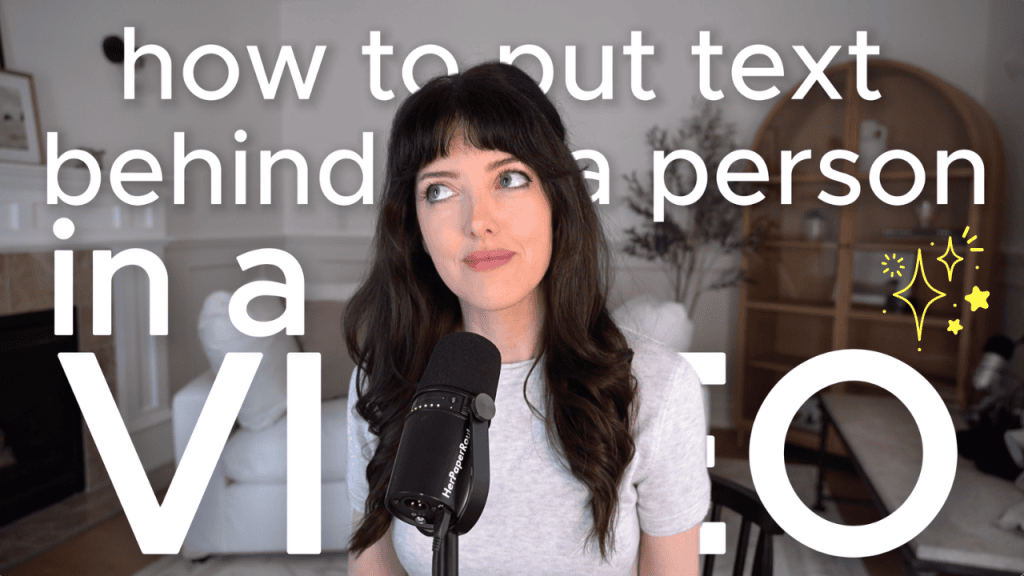
When people say “put text behind a person,” they’re talking about a layered edit where:
- Your subject (the person) stays in the foreground
- The text appears behind them
- The illusion makes it feel like the words are physically in the space
It’s a depth effect. A simple trick that makes a basic clip look instantly more advanced.
And in short-form video, anything that creates depth buys you attention.
Why this CapCut editing hack works so well
Most creators use text the same way: slap it on screen, center it, call it a day.
This effect is different because it creates:
- visual hierarchy (the person is the focus, the text supports)
- motion and depth without extra footage
- pattern interruption (your viewer’s brain goes “wait… how did they do that?”)
- a more polished “editor vibe” even if you’re a beginner
It’s one of the highest perceived-skill edits you can learn with a relatively low time investment.
When to use it (so it looks intentional, not random)
This effect hits hardest when you use it for:
- a headline or hook line at the start of a Reel/TikTok/Short
- emphasizing one key phrase in a tutorial
- “story time” moments when you want a cinematic beat
- product videos where the text labels something without covering it
- transitions (walking into frame while the text stays anchored)
The goal is to make the text feel like part of the scene, not a sticker hovering over someone’s face.
Watch the video for the exact step-by-step
In my video, I show you exactly how to put text behind a person in CapCut using simple tools (no advanced software, no expensive plugins, no editing degree required).
You’ll see:
- how to set up your layers the right way
- how to isolate the person cleanly so the text sits behind them
- how to position and style the text so it looks realistic
If you want your edits to look instantly more professional and you love those “how did they do that?” moments, this is the tutorial to watch.
Because once you learn it, you’ll start noticing it everywhere… and you’ll be the person casually doing it like it’s nothing.